Point of Sale
 Open live demo →
 Screens
Overview
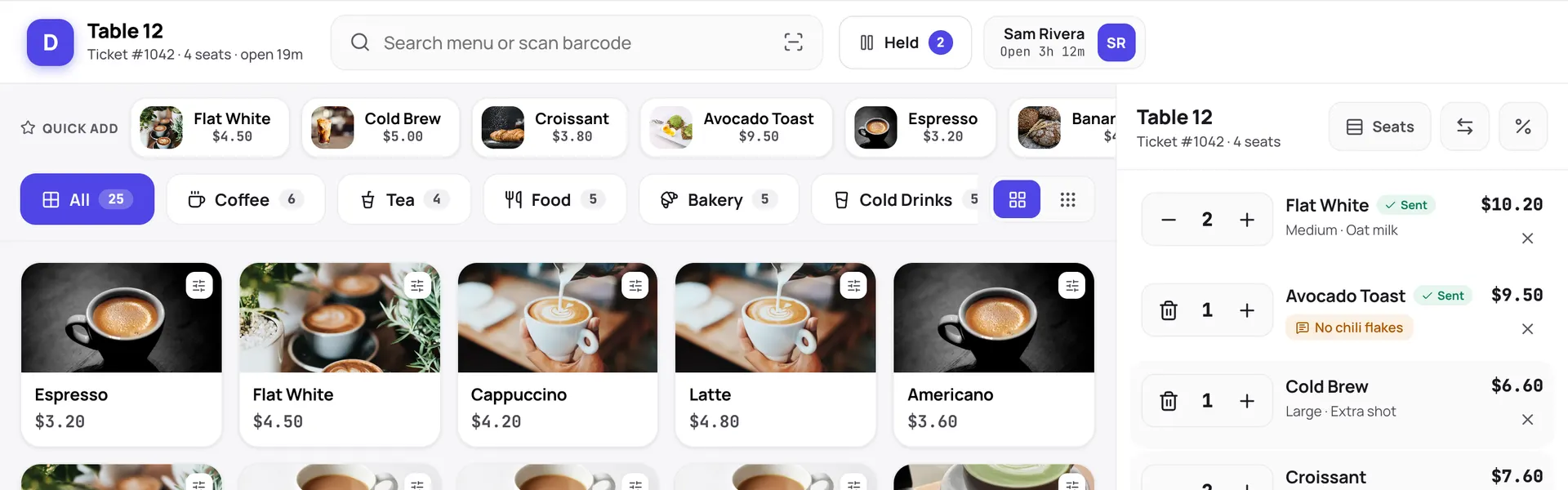
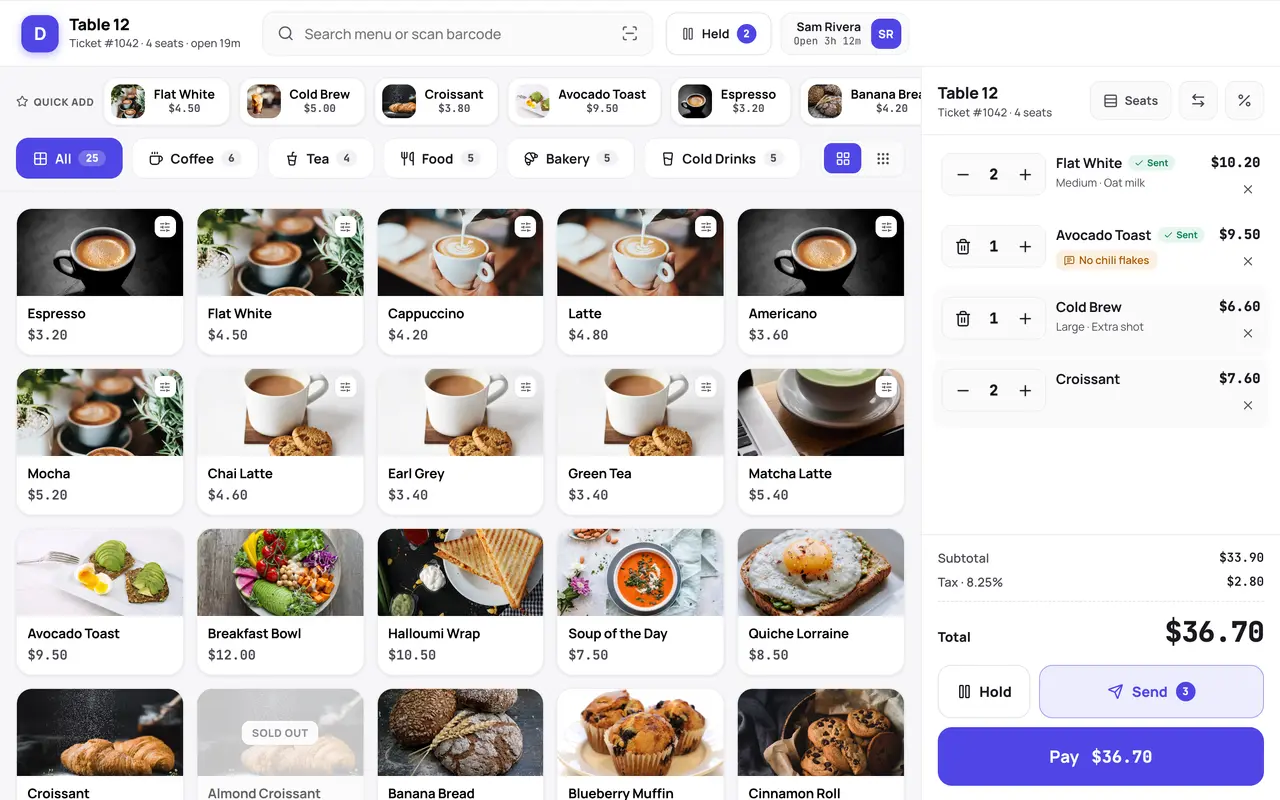
A touch-optimised point-of-sale terminal for retail or restaurant service: PIN login, an order-taking register with modifiers, table floor and coursing, split-tender payments, a kitchen display and held tickets. The manifest scaffolds the menu, ticket and payment tables and generates the back-office dashboard. Ships here as a hosted web build; a desktop (Electron) build for offline counters is on the roadmap.
Capabilities
- Works offline
- Receipt printer
- Barcode scanner
- Payments
- Realtime
What you get
Tables it adds6
- menu_items
- tables
- tickets
- ticket_items
- payments
- shifts
Created fresh, or mapped onto your existing tables at install.
Pages your dashboard gains4
- POS dashboardSales at a glance and an hourly breakdown.
- MenuA CRUD grid plus a card gallery for menu items.
- TicketsOpen tickets beside a ticket detail with line items and totals.
- ShiftsA staff shift scheduler.
Roles it pre-builds2
- pos-cashierCreate and read tickets and payments.
- pos-managerEverything the cashier can do, plus menu and reports.
Settings you configure6
- Currency
- Tax rate
- Service mode
- Receipt header
- Printer target
- Card reader key
Run it with your own data
Point of Sale needs somewhere to keep your data. Answer one question and we will show you the shortest way there.
Do you already use Adminium?
Set everything up together
A static host can only serve the screens. Your data needs a database, and Adminium is what turns it into an admin you can use — so the three go up together.
Deploy everything to DigitalOceanPostgres, Adminium and Point of Sale, already connected.
Rather try it on your own machine first?
npx @adminiumjs/adminium try No database needed — it asks you for one when it is ready. Then come back here and pick “Yes” above.
Where is your Adminium?
The address you sign in to, for example https://admin.yourcompany.com
That does not look like a web address. It should start with https://
Where should Point of Sale live?
On its own domain
A separate site with its own URL, talking back to the Adminium you just named.
Vercel hosts the screens only — your Adminium stays where it is and keeps the data. You will paste one key that lets the site read it.
Deploy to VercelVercel will ask for two values. Both are on your Adminium under Studio → Public API.
Or start from the source
Clone it and run it anywhere — the README covers every option.
View on GitHubJust looking? The live demo needs no setup at all and nothing you do in it is saved.
Open the live demo