Before data is removed
A card names the table or column and how many rows hold data. Nothing is removed until you accept.
Adminium Designer
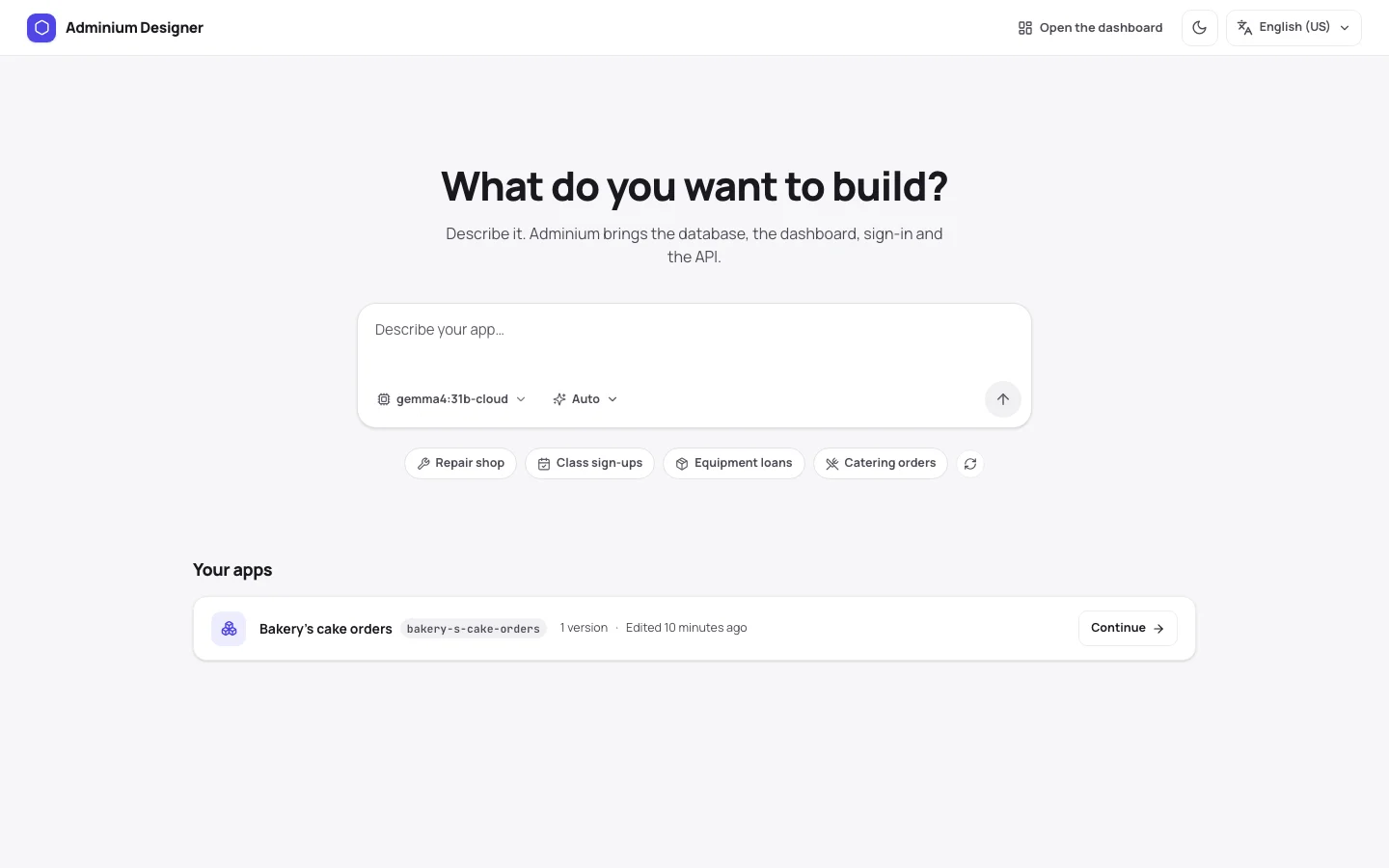
You say what the business needs. A model you choose writes the app into your project: the tables, the staff side, the customer side and sample rows. Adminium checks it, applies it and shows it beside the chat.
npx @adminiumjs/adminium design Opens in your browser, already signed in. Outside a project it creates one first.
01
In plain words. Attach a picture of a design or a CSV of your data if you have one.
In steps you can open and read. The result is the same folder you would write by hand.
The app is checked before it is applied, and the preview shows the dashboard, staff and customer sides.
v1, v2, v3. Go back to any of them.
You stay in charge
A card names the table or column and how many rows hold data. Nothing is removed until you accept.
Packages, fonts and picture sites are listed on one card, each with a checkbox.
A turn ends within a second, and one button puts the files back to the last version.
Your model
An Anthropic or OpenAI key, any OpenAI-compatible server, or Ollama. The key is written to your project and is never sent back to the browser.
A larger model builds better. A small local model can lose its way in an app with several tables and screens: it takes more steps and may need a "Keep going".
How it looks
Pick one, name a kind of business, or attach a picture and its colours are read. The Designer writes a short design brief into the app, so later changes stay one design.
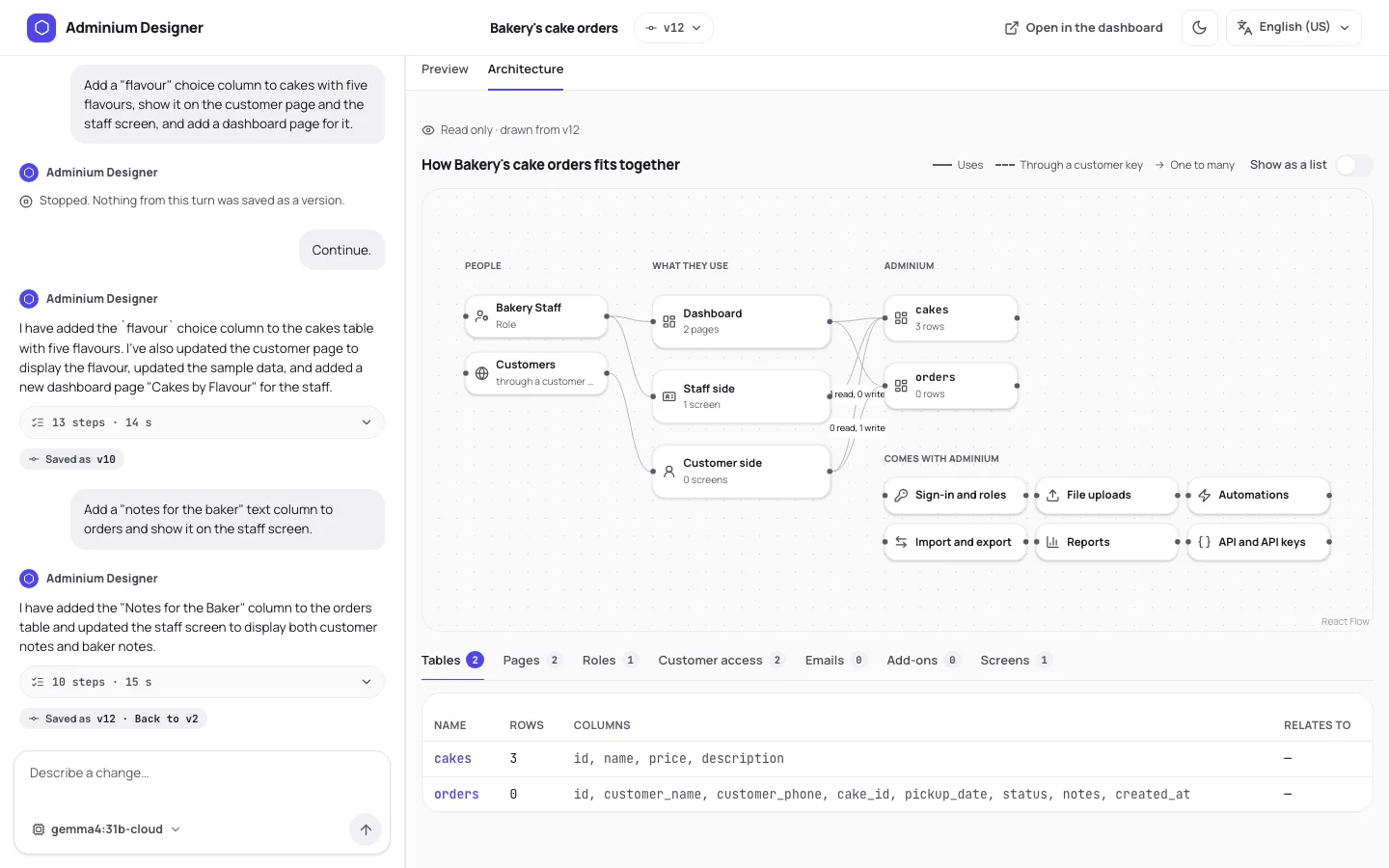
The Architecture tab draws the people, the screens, the tables and what Adminium brings: sign-in and roles, file uploads, automations, import and export, reports and the API.
Prefer your own coding agent?
The same knowledge the Designer uses is published as skills for coding agents, with CLI commands to create, check, pack and try an app.
Free and open source. Running on your own machine in about a minute.