Maker Shop
 Open live demo →
 Screens
Overview
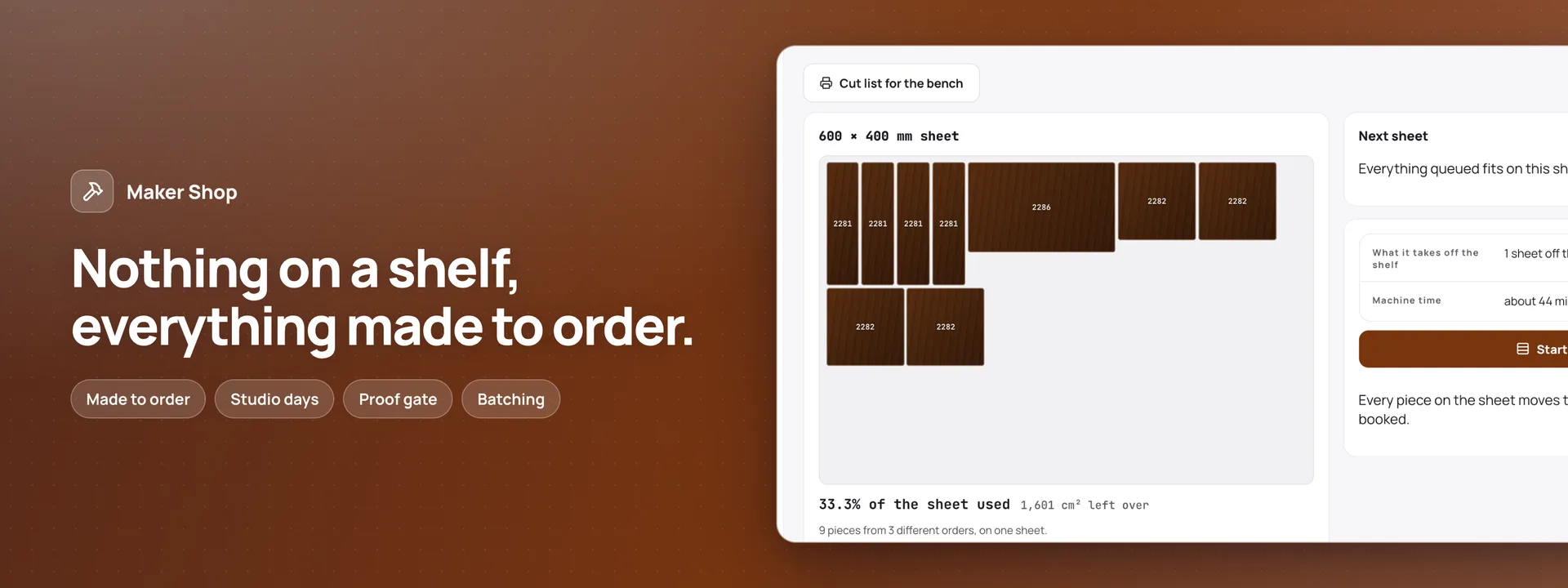
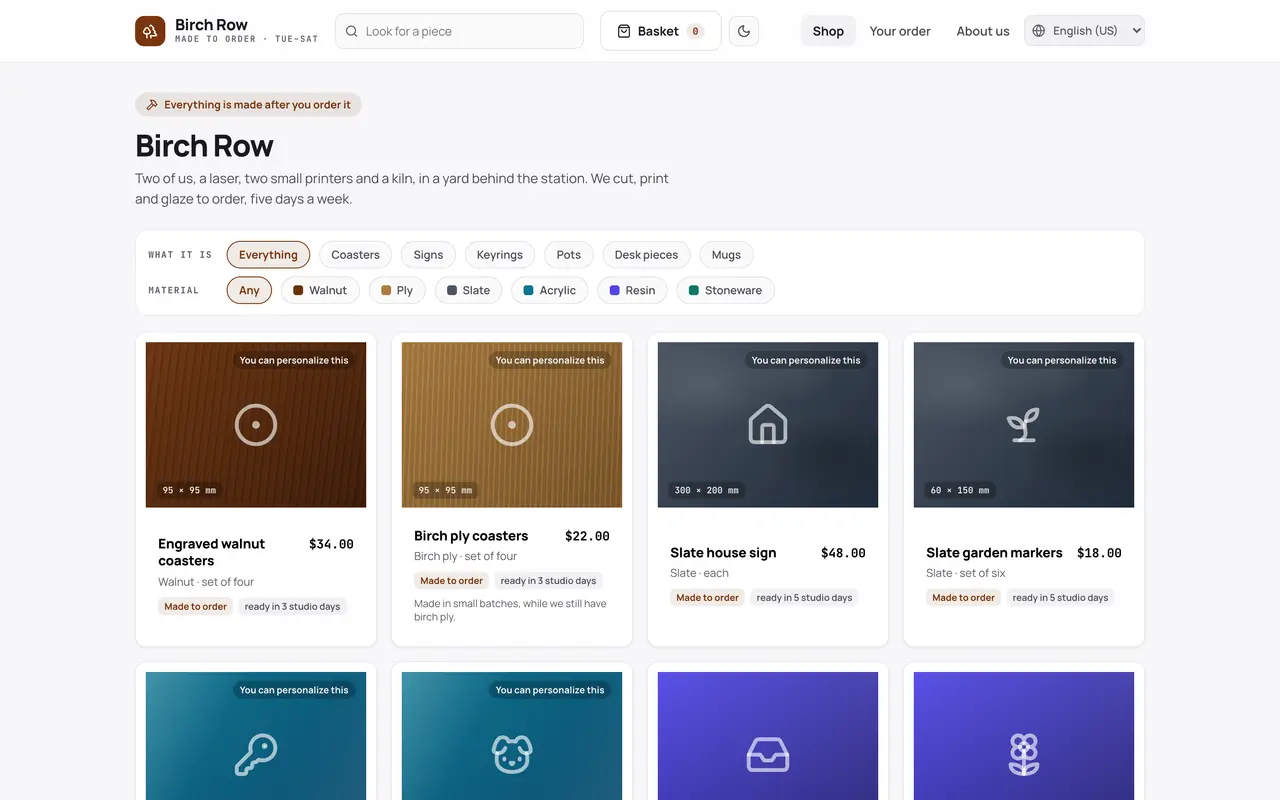
A shop and its studio on your own database, for a maker who makes every piece after it is ordered. Shoppers choose a piece, its material, size and finish, and see the price at every quantity and the day it will be posted — counted in studio days, with the same-day cut-off — all worked out by Adminium before anything is placed. Making it theirs is the heart of it, in the Customiser, which installs with the app: a ready-made design to fill in, or their own words, a logo or a motif, in the fonts and finishes the studio allows, seen on the piece in 3D at its real size and thickness. A coaster, a sign, a book-nook kit or a 3D-printed keyring is checked as it is made, and again when the order is placed. A shopper can save a design and come back to it by an e-mailed link. After the order come an e-mail with the order’s own link, its timeline, and each proof answered there: Yes, make it, or Ask for a change. Shoppers can find an order by its number and an e-mailed code, order again, ask for something made, or tell the studio something went wrong. The studio works from Today’s board. A piece with words goes to the bench only once its proof is approved. Pieces from different orders are batched onto one sheet of a machine, with the cut list and the machine time; then come the post office run, the materials and the shelf count. Three roles: owner, maker (the bench, proofs, batches and stock, never a price) and packer (posting what is ready). The manifest creates 19 tables in your connected database, the dashboard pages, three roles and nine e-mails in eight languages, all of them service mail. Five add-ons are offered at install, and the app is whole without them: DHL Shipping for collections, labels and tracking numbers, Barcode Labels, Inventory for sheets, blanks, filament and glaze, Invoices & Receipts, and Holiday Calendars. The sample is Birch Row, a two-person studio in Settle. Needs Adminium 0.3.45 or newer. 0.2.0 is a new app on new tables: a 0.1 install keeps its old tables untouched, and the retired Live Personalizer add-on is replaced by the Customiser.
Capabilities
- Sends email
- File storage
What you get
Tables it adds19
- settings
- machines
- materials
- products
- options
- postage_services
- postage_rates
- closures
- customers
- orders
- order_lines
- order_line_features
- proofs
- commission_requests
- problem_reports
- batches
- machine_bookings
- stock_movements
- messages
Created fresh, or mapped onto your existing tables at install.
Pages your dashboard gains18
- OrdersEvery order with its pieces, its customer, its total and the day it is posted by.
- ProofsEach proof sent for a piece with words on it, its reminder, and the yes or the change asked for.
- Order linesEvery piece ordered, with its options, the customer’s design and the stage it is at.
- RequestsWhat shoppers asked the studio to make, each copied back to them by e-mail.
- ProblemsWhat shoppers said went wrong with an order, each copied back to them and to the studio.
- ProductsWhat the studio sells: material, size, finish, quantity breaks, and whether a shopper may customise it.
- OptionsThe choices each piece offers and what each adds to the price, including customising features like the shopper’s own logo.
- PostageThe postage services a shopper chooses from at checkout.
- Postage ratesWhat each postage service costs, by the parcel’s weight.
- MaterialsSheets, blanks, filament and glaze, with what is on hand and when to order more.
- Stock movementsEvery sheet, blank or gram taken, spoiled or delivered in, with the piece that caused it.
- MachinesThe laser, the printers and the kiln, and how many of each the studio runs.
- Machine bookingsMachine time booked for each batch.
- BatchesPieces from different orders batched onto one sheet of a machine, with the cut list.
- ClosuresDays the studio is closed, which every post-by date skips.
- CustomersThe people the studio has made for, where their parcels go, and whether they may be e-mailed news.
- E-mailsEvery e-mail the app sent, to whom, and whether it went.
- SettingsThe studio’s working days and its same-day cut-off.
Roles it pre-builds3
- ownerRuns the studio: everything, including prices, the catalogue, customers’ details, postage and the settings.
- makerWorks the bench: proofs, batches, the cut list, machine time and stock. Sees an order’s pieces, never a price or a customer’s details beyond the order.
- packerPosts what is ready: the post office run and the parcels, with the address on each order.
Settings you configure2
- Studio days
- Orders start the same day before
Run it with your own data
Maker Shop needs somewhere to keep your data. Answer one question and we will show you the shortest way there.
Do you already use Adminium?
Start with an Adminium
Maker Shop is installed into an Adminium, which keeps its data in your own database. So you start with an Adminium, then add Maker Shop to it from there.
Start one on your own machine
npx @adminiumjs/adminium try No database needed — it asks you for one when it is ready. Once it is running, open “Hosted apps” in its Studio and install Maker Shop from the online app catalogue.
Where is your Adminium?
The address you sign in to, for example https://admin.yourcompany.com
That does not look like a web address. It should start with https://
Maker Shop runs inside your Adminium
Install it from your Adminium
Installing it creates the tables it needs in your database and adds its screens to your Adminium. There is nothing else to deploy.
- Open “Hosted apps” in Studio — the button below goes straight there.
- Under “Apps you can install”, the apps of adminium.dev are listed. On an Adminium installed before 0.3.16 the list may be off: press “Show what is available” there first.
- Find Maker Shop and press “Install”.
- Read what it adds and press “Install” to confirm. Nothing is created until you do, and anything Maker Shop needs is installed with it.
Or start from the source
Clone it and run it anywhere — the README covers every option.
View on GitHubJust looking? The live demo needs no setup at all and nothing you do in it is saved.
Open the live demo