Clinic Desk
 Open live demo →
 Screens
Overview
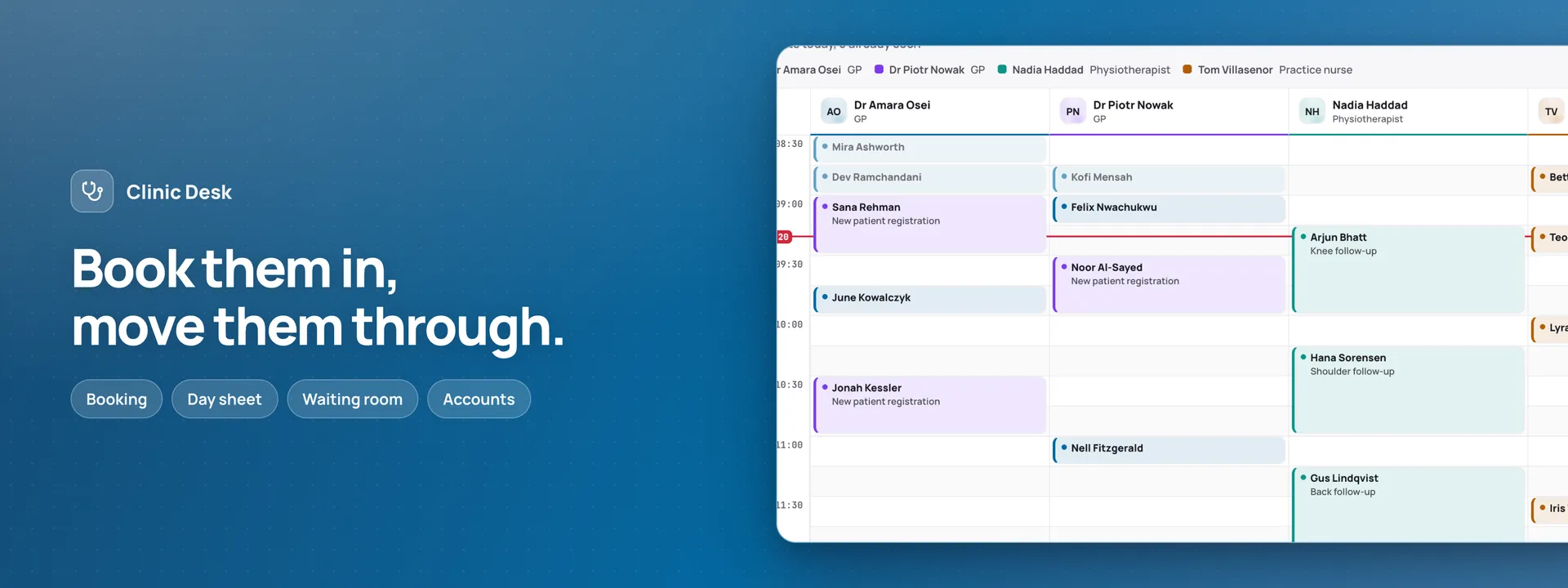
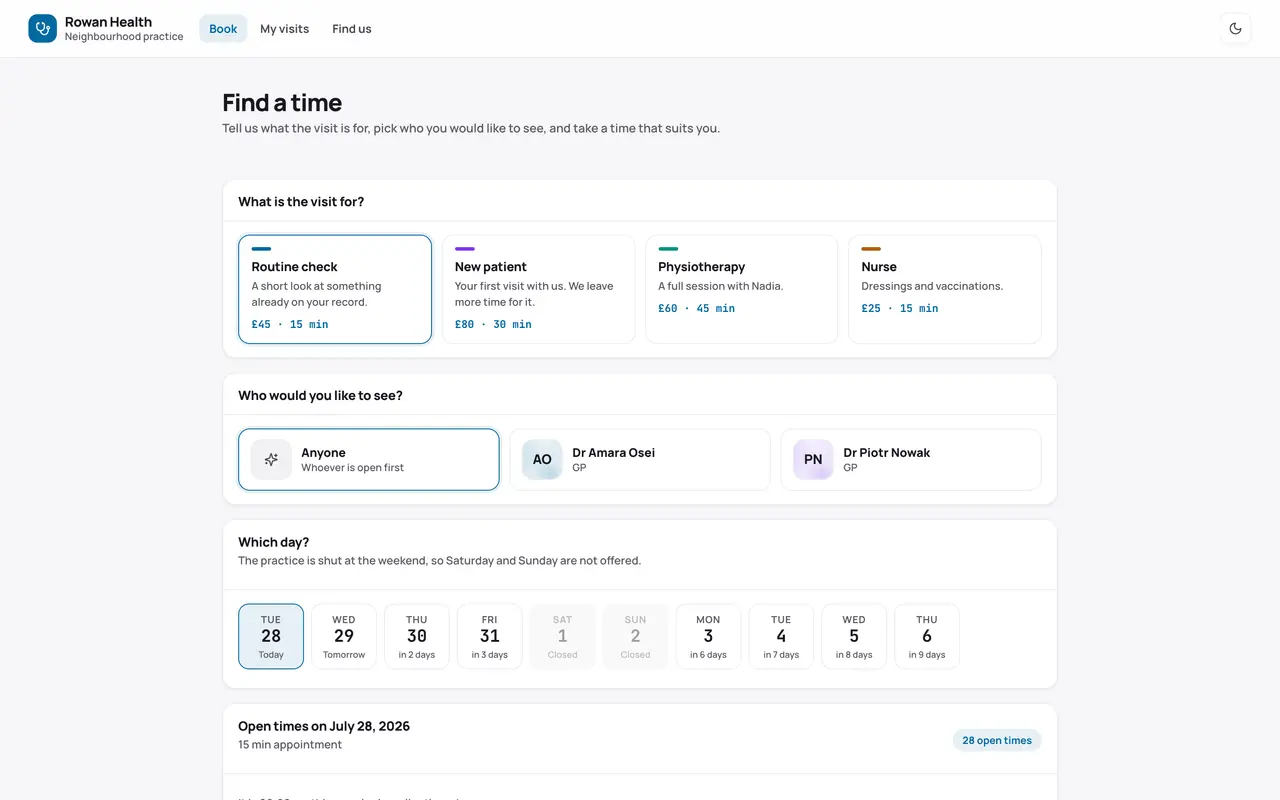
An appointment desk for a small practice, on your own database. Patients get pages of their own: they find a time that is really open — checked by the same booking rule the server applies when it saves — book as a returning patient or as a first visit, and move or cancel from My visits after a code emailed to the address on file. At the door, a tablet checks them in from a date of birth and a mobile number, and never lists anyone’s name. Behind the counter the desk runs the day: the day sheet with a column for each clinician, the waiting room with every wait, patients, accounts, recalls and the waiting list, and a change made at one desk shows at the others within a second. Reminders go by email, at each patient’s own lead time and in their own language — eight languages in all — and the desk sees what went, what failed and what is coming. The Overview, the app’s first page in your dashboard, draws the day’s numbers, the money taken and owed, and the week from your tables. The manifest creates eighteen tables in your connected database, the app’s pages and four roles. It is an appointment book and a front office, never a medical record: the reason for a visit is one plain line, and there is no column anywhere for a diagnosis, a code, a medicine or a result.
Capabilities
- Sends email
- Realtime
What you get
Tables it adds18
- settings
- opening_hours
- clinicians
- visit_types
- clinician_visit_types
- clinician_hours
- closures
- faqs
- patients
- registrations
- appointments
- payments
- write_offs
- check_notes
- recalls
- waiting_list
- messages
- day_closes
Created fresh, or mapped onto your existing tables at install.
Pages your dashboard gains6
- OverviewThe day’s visits and who is in the building, money taken and owed, what is waiting on the desk, and the week.
- AppointmentsEvery visit on a calendar — patient, clinician, visit type and status — booked and moved by the desk.
- PatientsEach patient’s contact details, language and reminder choices, with a short allergies note for the desk.
- RegistrationsPeople asking online to join the practice, each checked by the desk and matched to a patient.
- MessagesThe email outbox: every confirmation, reminder and recall, and whether it went or failed.
- PaymentsWhat was taken for each visit, by card, cash or transfer, with any voided payment and its reason.
Roles it pre-builds4
- receptionThe desk and the Records pages: books and moves visits, checks people in and sends them off, takes payments, and handles registrations, recalls, the waiting list, closures, the outbox and end of day. Cannot void a payment, write off a balance, or change opening hours or the desk settings.
- clinicianReads the day sheet, the waiting room and patients, and moves a visit along: in the room, with them, ready to go. No money and no settings.
- managerEverything, the Manage pages included: voiding payments, write-offs, clinicians, visit types, opening hours, closures and the practice settings.
- kioskThe arrivals kiosk and nothing else, with no table at all — for the tablet at the door where patients check themselves in.
Settings you configure9
- Practice name
- Days open for booking
- Shortest notice online (minutes)
- Booking grid (minutes)
- No-show after (minutes)
- Cancellation window (hours before)
- Send reminders
- Remind (hours before)
- Currency
Run it with your own data
Clinic Desk needs somewhere to keep your data. Answer one question and we will show you the shortest way there.
Do you already use Adminium?
Start with an Adminium
Clinic Desk is installed into an Adminium, which keeps its data in your own database. So you start with an Adminium, then add Clinic Desk to it from there.
Start one on your own machine
npx @adminiumjs/adminium try No database needed — it asks you for one when it is ready. Once it is running, open “Hosted apps” in its Studio and install Clinic Desk from the online app catalogue.
Where is your Adminium?
The address you sign in to, for example https://admin.yourcompany.com
That does not look like a web address. It should start with https://
Clinic Desk runs inside your Adminium
Install it from your Adminium
Installing it creates the tables it needs in your database and adds its screens to your Adminium. There is nothing else to deploy.
- Open “Hosted apps” in Studio — the button below goes straight there.
- Under “Apps you can install”, the apps of adminium.dev are listed. On an Adminium installed before 0.3.16 the list may be off: press “Show what is available” there first.
- Find Clinic Desk and press “Install”.
- Read what it adds and press “Install” to confirm. Nothing is created until you do, and anything Clinic Desk needs is installed with it.
Or start from the source
Clone it and run it anywhere — the README covers every option.
View on GitHubJust looking? The live demo needs no setup at all and nothing you do in it is saved.
Open the live demo